PRACENO Course · Creation
AI Video Creation
Build a controlled AI video workflow from images and prompts to connected shots.
Inside the course
Watch lesson excerpts
Real teaching from the course. No account needed to watch these short previews.
Define what changes in a video
Plan action, camera motion, environmental change and timing while protecting the approved image.
Playback could not load. Check your connection and try again.
Plan the sequence before the shots
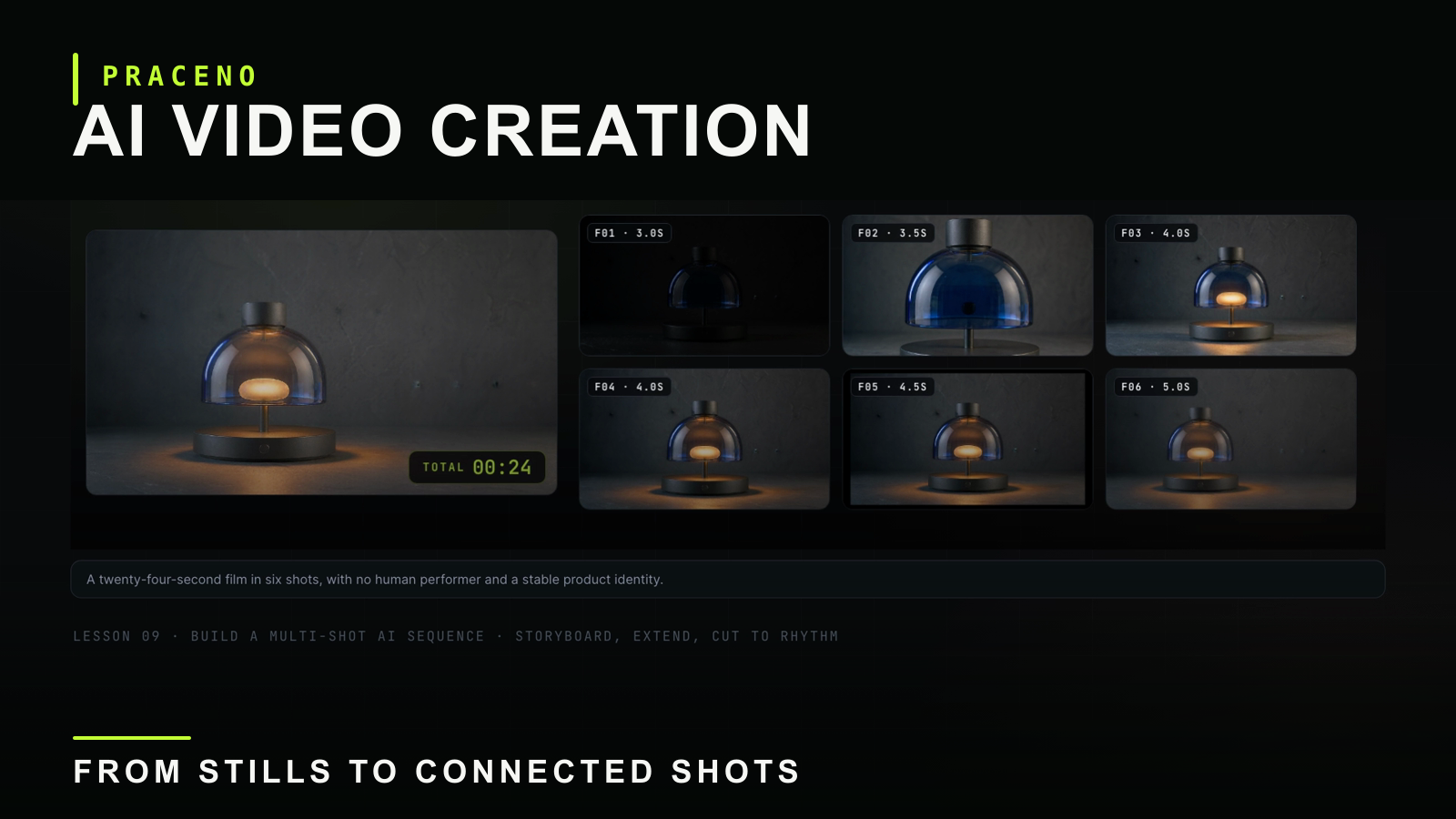
Follow the opening of a six-shot desk-lamp project: one creative promise and a consistent product identity.
Playback could not load. Check your connection and try again.
The result
Finish with a repeatable production system instead of scattered generation tricks.
- 01
Plan visual assets before generating video
- 02
Write prompts that describe motion and continuity
- 03
Combine reference material, models, and shots into one workflow
Curriculum
A focused path through the work.
The complete first edition, from the core methods to a connected multi-shot sequence.
- 01
The three core AI video methods
6:13Understand the main generation paths.
- 02
Image generation
5:51Create source visuals for video.
- 03
Image prompts
5:39Control subject, style, and composition.
- 04
Video prompts
5:33Describe action, camera, and timing.
- 05
Multi-model canvas workflow
5:34Use different models for different jobs.
- 06
Start and end frame product camera moves
6:01Design controlled product motion.
- 07
Four advanced start and end frame patterns
8:16Apply four reusable motion structures.
- 08
Four roles of reference material
8:26Assign references one clear production job.
- 09
Multi-shot short film workflow
8:52Connect multiple shots into one coherent sequence.
What is included
Everything supports one practical result.
- 019 video lessons
- 02English lesson edition and an alternative Chinese/English subtitle edition
- 0325-page student pack: 4 English PDFs
- 04Tool map and setup guide
- 05Prompt and control cards
- 06Six-shot project workbook
- 079 lesson practice cards with pass checks
- 0811 editable templates with 11 worked examples
Who it is for
Practical learners who want a usable process.
Creators and small teams who want to make coherent AI video without a technical background.
Free AI Video Exercise
Plan your first AI product shot.
2-page PDF · Choose an input, write a brief and decide what a good result must preserve. No account needed for the planning exercise.
Seven everyday-work workflows are coming next — a separate office kit.
Purchase and delivery
One payment. Download and learn.
Sold by PRACENO LLC. Within one business day of successful payment, we email your course files or a download link to the email address used at checkout. Download the files to watch on a compatible device, and keep them for continued personal use. No subscription is required. If a delivery link expires, contact [email protected] with your order email and number for a replacement link.
US$29 USD · One-time payment. Any applicable taxes will be shown before payment. Third-party AI subscriptions and generation credits are separate.
Your first course purchase is eligible for a full refund within 14 calendar days. If delivery is delayed, the window begins when full course access is provided. No viewing-percentage requirement applies.
Questions
Before you start.
Do I need video production experience?
No. The course is designed for practical beginners and builds the workflow one decision at a time.
Is this a collection of tool tutorials?
No. Tools support the process, but the course is organized around building a repeatable production workflow.
Can I buy the course now?
The lessons are complete, and the price and 14-day refund policy are published. The seller is PRACENO LLC. Once checkout opens, we will email your course files or a download link within one business day of successful payment. Downloaded files may be kept for continued personal use. You can contact [email protected] with course questions.
What format are the course resources?
The student pack contains four English PDFs for reading and printing, plus editable TXT templates, worked examples and practice cards. The full pack is prepared for inclusion with course access; the free two-page exercise is a separate sample.
Do I need a paid AI tool to start?
You can complete the free planning exercise without a generation account. Creating images or videos requires a suitable tool; access, settings and generation charges vary. The dated tool map explains where to start and what to check before spending.
AI Video Creation · Lessons complete
Finish with a repeatable production system instead of scattered generation tricks.
The lessons are complete. Prices and the refund policy are published. The seller is PRACENO LLC. Email delivery is within one business day of successful payment. Online checkout is not yet open.